
MenuQR
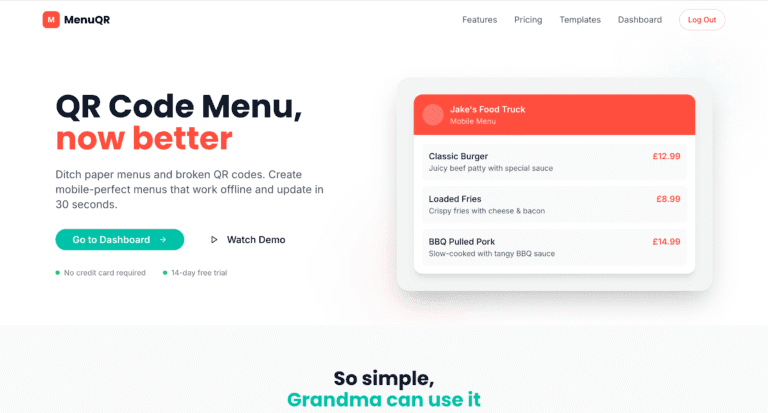
A mobile-first QR menu platform that replaced PDFs with faster, easier-to-update digital menus and clearer engagement tracking for hospitality teams.
Project overview
MenuQR is a mobile-first digital menu platform built to replace hard-to-read PDFs and outdated paper menus with a faster, easier restaurant experience.
The product was designed for hospitality businesses that need something simple to manage, quick to update and easy for customers to use on their phones. Instead of pinch-zooming through static files, customers get a clean, fast menu experience built for real-world browsing.
I designed and developed MenuQR as a lightweight SaaS-style product focused on usability, speed, offline access, simple content management and practical analytics that help food businesses keep menus accurate and easier to discover. This kind of work is most closely aligned with custom development, bespoke functionality and ongoing technical support.
The challenge
Traditional menu workflows create friction on both sides. Paper menus are expensive to reprint, PDF menus are frustrating on mobile and outdated QR links quickly become a poor customer experience. The platform needed to solve those problems without becoming complex for venue owners to manage.
Menus needed to be instantly usable on phones without zooming, awkward taps or visual clutter.
Owners needed to change prices, hide sold-out items and update menus without delays or reprints.
The product had to feel simple enough for non-technical users to manage confidently.
Analytics needed to surface real menu behaviour rather than vanity metrics.
What was delivered
I built MenuQR as a product-focused digital menu platform designed for speed, simplicity and day-to-day usability. The work covered the user experience, menu management logic, pricing structure, analytics capability and the customer-facing mobile interface.
Customers can browse menus quickly through a clean interface designed for thumbs and small screens.
Restaurant owners can update availability, pricing and menu content without technical friction.
The product is designed to remain useful even when connectivity is inconsistent.
Built-in insights help businesses understand which dishes get the most attention.
Core functionality included
Menus are designed for fast reading and easy tapping on phones.
Businesses can edit menus in seconds without reprinting materials.
Menu items can be hidden quickly when stock changes during service.
The experience remains more resilient than typical PDF-based menu flows.
Restaurants can use stable QR codes without worrying about dead links.
Menus can be surfaced inside existing websites without complex setup.
The platform can support menus in more than one language.
Businesses can see top-viewed dishes and spot underperforming items.
Menus can appear in contexts where customers are already searching for food options.
Different pricing tiers support different business sizes and operational needs.
Key architecture decisions
One of the key decisions was keeping the product intentionally lightweight. MenuQR needed to feel fast for customers and uncomplicated for businesses, which meant focusing on core actions like browsing, updating and sharing menus rather than layering in unnecessary admin complexity.
The platform was also shaped like a scalable product rather than a one-off tool, with support for plan tiers, analytics, embeddable usage and future integration opportunities such as Google Maps sync and API access.
Core tasks are fast to complete for both customers and menu owners.
The UX is designed around quick access and readability on small screens.
Plans, analytics and feature expansion fit naturally into the product model.
Menus can be updated continuously without disrupting the customer-facing experience.
Results and outcomes
The result is a practical digital menu product that improves both the customer experience and the restaurant workflow. MenuQR replaces static, frustrating menu formats with something faster, cleaner and more adaptable to real hospitality operations.
Customers can read and browse menus without the friction of PDFs.
Owners can make changes in seconds instead of reprinting materials.
QR-led access feels more polished and more useful during service.
Analytics help businesses make smarter menu decisions over time.
Stable QR access reduces the risk of outdated or broken menu journeys.
The app is structured to support future features, plans and integrations.
Technology used
MenuQR was built as a modern web application with a mobile-first interface, structured menu management, analytics capability, offline-friendly behaviour and product foundations designed to support scalable digital menu delivery for hospitality businesses.
This work is especially relevant to custom development, bespoke functionality and ongoing support for operational digital products.
Next steps
MenuQR creates a strong foundation for hospitality businesses that want faster updates, better customer usability and more flexibility than paper or PDF menus can offer. The product can continue expanding through deeper integrations, richer analytics and more advanced operational features.
If you need a custom product, hospitality tool or mobile-first web application that solves a real operational problem, the most relevant starting points are usually custom WordPress development, bespoke functionality and support and maintenance.
Looking for similar outcomes? Start with SaaS Development and browse more project examples.
Best matched offer
This project is closest to SaaS Development. Start there if you want a similar outcome.
Newsletter
Get the free WordPress SEO checklist
Plus one practical fix a week, with lessons from real builds like this one.
What this proves
This project shows the kind of commercial problem the work is built around: clearer implementation, fewer technical compromises and a better path from website investment to business outcome. If you need a similar approach, explore SaaS Development and practical implementation guides.
Keep exploring
Recent work
All case studies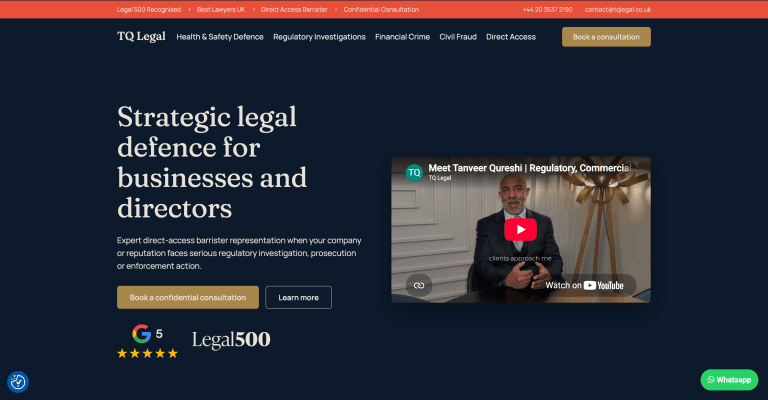
TQ Legal: Rebranding a Live Barrister’s Website Without Breaking It
A complete rebrand of a live barrister’s WordPress site, shipped as an additive component layer alongside the legacy theme so nothing already live ever broke. A token-driven design system, a fully editable ACF page builder and a measurable enquiry journey, all with a zero-downtime rollout.
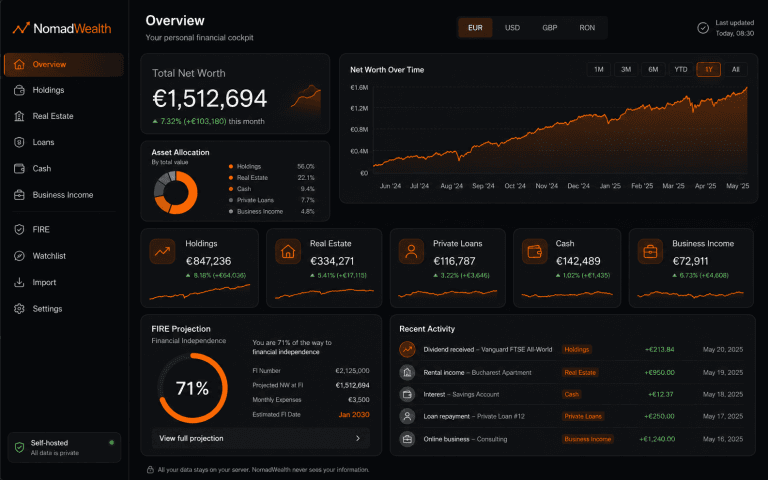
NomadWealth: Self-Hosted Net-Worth App
Turning a personal finance dashboard into a self-hostable product: holdings, real estate, loans and cash in one private cockpit, deployed to the buyer’s own Vercel so the vendor never sees their data.

Guided Experience Platform
A mobile-first WordPress and PWA platform for self-guided in-venue experiences, designed to feel app-like, flexible across brands and easy to manage.
Services
All servicesReading
All articlesHow to Turn Your WordPress Website Into a Progressive Web App
How a Progressive Web App can turn a WordPress website into a faster, app-like experience with home screen access, alert
Clearing Your WordPress Admin Dashboard: How to Remove Plugin Ads
A simple WordPress admin tweak that hides plugin ads and notices to create a cleaner dashboard, while also highlighting
Fixing YouTube Link Conversion in WordPress & BuddyPress
A lightweight WordPress customisation that automatically converts YouTube links into embedded iframes across posts, bbPr
Want Similar Results for Your Business?
Let's discuss how I can help scale your website with a custom solution tailored to your business needs. From performance optimization to complete redesigns, I deliver results that drive growth.
Free 30-minute consultation • No commitment required • For business ready