
Streamlining SEO Management with Quick Access to Yoast Meta Data
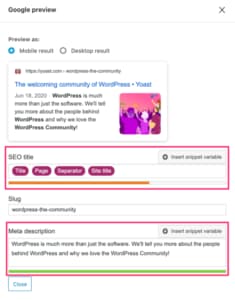
This kind of improvement sits closest to plugin development, technical SEO implementation and practical ongoing support that makes day-to-day site management faster.
Introducing direct links to the Yoast SEO meta box
This update makes it easier to access SEO metadata from the post and page listing screens inside WordPress. Instead of opening a post and manually finding the Yoast box, the enhanced Edit links take you directly to the SEO section.
Why this update matters
Small workflow improvements often have an outsized impact when SEO tasks are repeated across dozens or hundreds of pages.
- Saves time: No more scrolling through long content just to reach the SEO fields.
- Improves focus: Editors can move straight to meta titles and descriptions instead of navigating around the whole edit screen.
- Makes optimisation easier to repeat: Faster access means it is easier to maintain metadata consistently across the site.
This is a good example of how small custom tooling inside WordPress can remove repetitive friction and make SEO work more practical for real teams.
Visual feedback for character counts
Alongside the direct-link update, colour-coded character counts were added to make metadata review easier at a glance.
- Green: The meta title or description is within the recommended range.
- Red: The length falls outside the ideal range and may need adjusting.
This makes it easier to spot posts that need optimisation without checking each one manually.
A quick SEO best-practice reminder
- Meta titles should usually sit around 50 to 60 characters so they remain readable in search results.
- Meta descriptions should generally stay around 150 to 160 characters to give enough context without being cut off.
Good metadata is only one part of search performance, but it is one of the easiest places to improve click-through rate when paired with stronger technical SEO structure and better page targeting.
What else to check
While refining SEO workflows, it is also worth reviewing whether your important content types are fully indexable. For example, if a post type like Events is missing from your sitemap, you may need to review your Yoast indexing settings to make sure important content can be discovered properly.
Why this kind of change matters long-term
This is the sort of improvement that does not radically change the front end of a site, but makes a real difference to how quickly SEO tasks get done. Over time, smoother editorial workflows usually mean more pages stay optimised, metadata stays cleaner and teams are more likely to maintain standards consistently.
That is also why many WordPress sites benefit from ongoing support. Small admin-side improvements, indexing fixes and editorial workflow changes often create more value than waiting for a bigger rebuild.
Conclusion
SEO work becomes much easier when the tools inside WordPress support the workflow properly. Direct access to Yoast metadata, clearer character feedback and better indexing checks all help reduce admin friction and make optimisation more repeatable.
Need help improving SEO workflows inside WordPress?
Get in touch and I can help you identify where custom improvements, better structure or technical fixes would save time and improve consistency. The most relevant starting points are usually plugin development, technical SEO foundations and ongoing support.
Keep exploring
Recent work
All case studies
LoftPlan
A long-term WordPress care and support project for LoftPlan, covering managed hosting, updates, SEO improvements and technical troubleshooting to keep the site reliable and commercially effective.
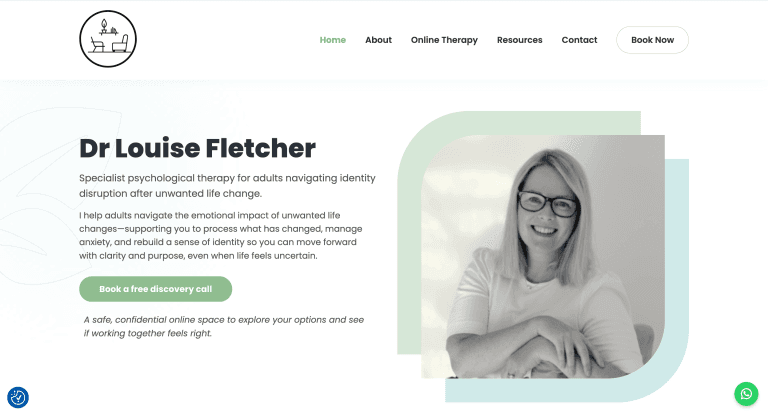
Dr Louise Fletcher
A WordPress improvement project for Dr Louise Fletcher, combining content refinement, technical SEO, analytics setup and ongoing care plan support.
Muscle Royals
Built a custom WordPress plugin for Muscle Royals extending their Astra site with a searchable Queens gallery, athlete profiles, frontend uploads and moderation tools.
Services
All servicesReading
All articles20 mistakes clients make using WordPress
Many WordPress websites underperform because of avoidable issues like poor hosting, missed updates, weak SEO structure a
How to Turn Your WordPress Website Into a Progressive Web App
How a Progressive Web App can turn a WordPress website into a faster, app-like experience with home screen access, alert
How I Built a Real-Time Investment Portfolio Tracker in Google Sheets
A custom Google Sheets portfolio tracker that combines live stock and crypto pricing, automated trade handling and perfo