
Fixing YouTube Link Conversion in WordPress & BuddyPress

This kind of improvement usually sits closest to plugin development, custom WordPress development and practical ongoing support for sites using WordPress, bbPress or BuddyPress.
The challenge
In many setups, YouTube links pasted into content are not converted consistently into iframes. That means users either need to add embed code manually or end up with plain URLs that do not create the expected experience.
The issue becomes more noticeable when the same behaviour needs to work across:
- Standard WordPress posts
- bbPress replies
- BuddyPress activity updates
Different YouTube URL formats and even quotation mark variations inside existing iframe code can also create inconsistency in how links are rendered.
The solution
A custom function can be added to the child theme’s functions.php file to detect YouTube links and convert them into embedded iframes automatically.
This allows the same logic to work across multiple content areas instead of relying on users to paste iframe code themselves.
function convertYoutubeLinks($content) {
    // Pattern and replacement for plain YouTube URLs
    $pattern1 = "/(?:[ \\t\\n\\r\\f]|^)([a-zA-Z\\/\\/:\\\\.]*youtu(be.com\\/watch\\?v=|.be\\/)([a-zA-Z0-9\\-_]+))([a-zA-Z0-9\\/\\*\\-\\_\\?\\&\\;\\%\\=\\.]*)/i";
    $replacement1 = "<iframe width="420" height="315" src="//www.youtube.com/embed/$3" allowfullscreen></iframe>";

    // Pattern and replacement for YouTube URLs inside iframe tags
    $pattern2 = "/<iframe.*src=[”\\"]?\\/\\/www.youtube.com\\/embed\\/([^”\\"\\?]*).*/i";
    $replacement2 = '<iframe width="420" height="315" src="//www.youtube.com/embed/$1" allowfullscreen></iframe>';

    if (is_single() || function_exists('bbpress') && is_bbpress() || function_exists('buddypress') && bp_is_active('activity')) {
        $content = preg_replace($pattern1, $replacement1, $content);
        $content = preg_replace($pattern2, $replacement2, $content);
    }

    return $content;
}

add_filter('the_content', 'convertYoutubeLinks');
add_filter('bbp_get_reply_content', 'convertYoutubeLinks', 10, 2);
add_filter('bp_get_activity_content_body', 'convertYoutubeLinks', 10, 2);
This approach handles both standard and shortened YouTube URLs and also helps normalise iframe output where formatting inconsistencies exist.
Why use a child theme?
If you are adding code like this directly in WordPress, it should go into a child theme rather than the parent theme. That way, your changes are not lost when the main theme is updated.
Where this works best
This solution is useful when you want a single, predictable content experience across different parts of a WordPress site.
- Posts and articles
- Forum replies in bbPress
- BuddyPress activity streams
- Community-led content workflows
This is a good example of where small custom logic inside WordPress can improve usability without needing a large rebuild. For community sites especially, those small improvements often make the platform feel much more polished.
Security and testing considerations
Before using code like this on a live website, it is important to:
- Test it in a local or staging environment first
- Check how it behaves with different content types
- Sanitise user-submitted content properly
- Watch for XSS or other injection risks
That is also why changes like this often benefit from ongoing support. Small front-end improvements can create unexpected issues if they are not tested against the rest of the site’s content and plugin stack.
Conclusion
Automatically converting YouTube links into embedded videos creates a smoother user experience across WordPress, bbPress and BuddyPress. It reduces manual effort for users, improves consistency and helps community content feel more interactive and polished.
Need help extending WordPress with custom behaviour like this?
Get in touch and I can help you implement, test and maintain custom WordPress functionality properly. The most relevant starting points are usually plugin development, custom WordPress development and ongoing support.
Keep exploring
Recent work
All case studies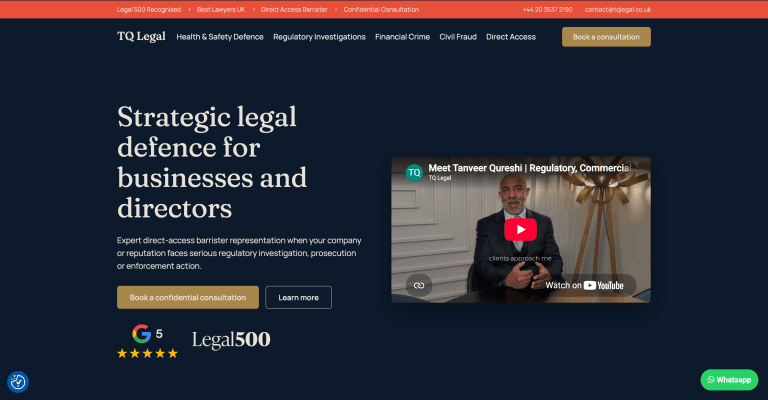
TQ Legal: Rebranding a Live Barrister’s Website Without Breaking It
A complete rebrand of a live barrister’s WordPress site, shipped as an additive component layer alongside the legacy theme so nothing already live ever broke. A token-driven design system, a fully editable ACF page builder and a measurable enquiry journey, all with a zero-downtime rollout.
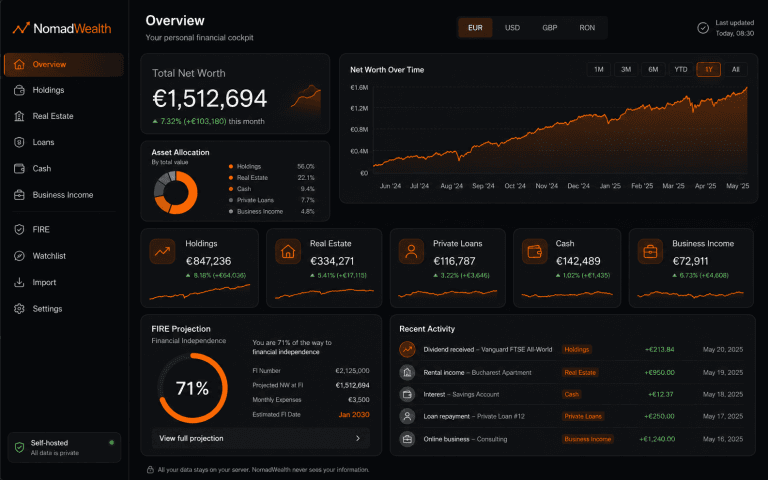
NomadWealth: Self-Hosted Net-Worth App
Turning a personal finance dashboard into a self-hostable product: holdings, real estate, loans and cash in one private cockpit, deployed to the buyer’s own Vercel so the vendor never sees their data.

Guided Experience Platform
A mobile-first WordPress and PWA platform for self-guided in-venue experiences, designed to feel app-like, flexible across brands and easy to manage.
Services
All servicesReading
All articlesHow to Turn Your WordPress Website Into a Progressive Web App
How a Progressive Web App can turn a WordPress website into a faster, app-like experience with home screen access, alert
Clearing Your WordPress Admin Dashboard: How to Remove Plugin Ads
A simple WordPress admin tweak that hides plugin ads and notices to create a cleaner dashboard, while also highlighting
20 mistakes clients make using WordPress
Many WordPress websites underperform because of avoidable issues like poor hosting, missed updates, weak SEO structure a