
WA Cafe: WordPress Security Audit & Malware Cleanup
Securing WA Cafe’s WooCommerce website: upgrading PHP, removing 123 suspicious WordPress files, fixing vulnerable plugins and strengthening security while keeping online ordering running smoothly.
Project overview
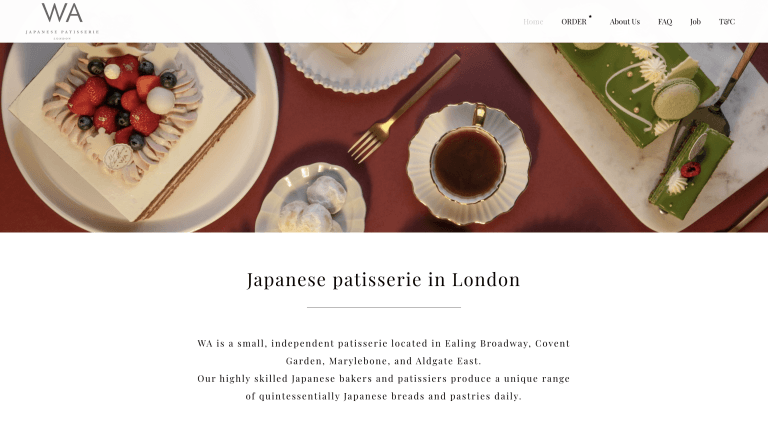
123 suspicious files hidden inside WordPress core directories. That was the unexpected discovery during what should have been a routine PHP security update for WA Cafe, a London-based Japanese cafe running its online ordering system through WordPress and WooCommerce.
The original task was straightforward: update PHP to address urgent security concerns and make sure the website continued working. But a wider security audit revealed a more serious problem. Alongside the suspicious files, the site contained vulnerable plugins, an outdated page builder and several extensions that had been removed from the official WordPress directory.
For a business accepting online orders and handling customer information, these were risks that could not be ignored.
I approached the project in two stages: first securing the PHP environment and updating WordPress, then carrying out a more comprehensive WordPress security cleanup and remediation. The work included removing suspicious files, restoring clean core files, reviewing outdated components and strengthening the website’s protection.
The goal was simple: make the existing website safer without disrupting the cafe’s online ordering system or forcing an expensive rebuild.
The project combined WordPress support and maintenance, security auditing and WooCommerce compatibility testing.
The challenge
WA Cafe’s website was operational, but its underlying technology had accumulated years of technical debt. Several plugins were outdated, some were no longer officially maintained and the PHP environment needed urgent attention.
The real challenge was not simply updating software. It was understanding how far the security problems extended while protecting the functionality the business depended on every day.
A PHP upgrade could address vulnerabilities in the server environment, but it would not automatically remove suspicious files or resolve weaknesses in third-party plugins.
Unknown files were discovered inside core WordPress directories. These did not belong in a standard installation and raised concerns about possible unauthorised modifications or previously introduced backdoors.
Bridge Core and Slider Revolution were flagged during the security audit, while WPBakery Page Builder was running version 6.7, significantly behind the version referenced at the time.
WooCommerce PayPal Checkout Gateway, WooCommerce Admin, Woocommerce Cart Limit and Enable jQuery Migrate Helper had been removed from the official WordPress directory, raising additional maintenance concerns.
Security changes needed to be carried out carefully. Breaking the ordering or collection process could directly affect customers and the cafe’s day-to-day operations.
The priority was to address the immediate risks, investigate the wider installation and avoid unnecessary disruption to the existing website.
What was delivered
The work began with the urgent PHP update. Before changing the server environment, I backed up the website files and database to establish a recovery point.
After completing the update, I tested the existing website and updated WordPress itself. I also carried out a security audit at no additional cost, which uncovered the more extensive problems described above.
Following the findings, WA Cafe approved a second phase focused on removing suspicious files and addressing the remaining security weaknesses.
Updated the PHP environment to address the initial security concern and brought WordPress core up to date, with compatibility checks after the changes.
Removed all 123 unexpected files identified in WordPress core directories and replaced the affected core files with clean copies.
Checked the website’s theme, plugins, uploads directory and database for additional suspicious or malicious code, rather than limiting the investigation to WordPress core.
Reviewed and addressed the vulnerable, outdated and unsupported components identified during the audit, while considering compatibility with the existing theme and WooCommerce setup.
Reviewed and strengthened security settings to reduce exposure to common WordPress attack methods and improve the protection of the existing installation.
Tested the website following the remediation to check that its customer-facing functionality continued working as expected.
What the audit revealed
The investigation highlighted a common problem with older WordPress installations: individual components may continue working for years even when their security and maintenance status has changed significantly.
Three findings stood out.
The presence of 123 unknown files inside WordPress core directories suggested the installation had been modified beyond its standard structure. While suspicious files do not automatically prove a successful compromise, they warrant immediate investigation because unexpected executable code can provide a way for attackers to retain access.
The audit identified vulnerabilities and outdated components, including Bridge Core, Slider Revolution and WPBakery Page Builder. An extension can appear to function normally while still exposing the website to known security risks.
Four extensions had been removed from the official WordPress directory. Such plugins require careful review because continued compatibility does not guarantee that security issues will be fixed or that the software remains appropriately maintained.
The important lesson was that the website’s visible functionality gave little indication of the condition of the software underneath it.
Key technical decisions
The guiding principle was repair and secure the existing installation before considering a replacement.
WA Cafe already had an operational WooCommerce website. Rebuilding it would have introduced additional cost, migration complexity and disruption without necessarily being required to solve the immediate security problems.
Instead, the remediation followed a controlled sequence: preserve a backup, address the server environment, inspect the installation, restore trusted files, review third-party dependencies and validate the finished website.
A full files-and-database backup was taken before changes began, providing a route to recover the existing website if an update caused compatibility issues.
Rather than treating the 123 suspicious files as isolated problems, the affected WordPress core files were replaced with clean copies to restore the expected installation structure.
Older page builders and theme-related plugins can be closely connected to a website’s layout. Security remediation therefore needed to account for functionality as well as software versions.
The website’s customer-facing functionality was checked after the changes, with particular attention to preserving the existing WooCommerce experience.
Why upgrading PHP alone was not enough
WordPress security depends on several separate layers: the PHP runtime, WordPress core, themes, plugins, user access and server configuration.
Updating one layer does not automatically secure the others.
In this project, the PHP update addressed the original maintenance concern, but the wider audit revealed additional issues that would otherwise have remained unresolved.
That discovery changed the scope from routine maintenance to a more comprehensive security remediation.
Results and outcomes
The project concluded with the initial PHP security update completed and the additional remediation work delivered.
The most significant result was the removal of 123 suspicious files from WordPress core directories, alongside clean-file restoration, vulnerable plugin remediation and strengthened security settings.
The existing WordPress and WooCommerce installation was retained, avoiding the need for an immediate rebuild.
Unexpected files identified during the audit were removed and the affected WordPress core files were restored from clean copies.
The PHP environment, outdated components and identified security weaknesses were addressed across two phases of maintenance and remediation.
WA Cafe continued using its established WordPress and WooCommerce website instead of undertaking an unnecessary migration or rebuild.
Post-update checks were completed to verify that the existing website functionality continued operating as expected.
The outcome was a cleaner, more maintainable WordPress installation with fewer identified security risks and a stronger foundation for ongoing maintenance.
No security cleanup can guarantee that future attacks will never occur. Regular updates, backups, access reviews and periodic audits remain essential, particularly for websites processing online orders.
Technology used
The existing website runs on WordPress, WooCommerce and PHP, using theme-related plugins and a visual page builder to support its content and online ordering functionality.
The project involved PHP maintenance, WordPress core updates, clean-file restoration, website file and database inspections, third-party plugin remediation and security hardening.
Components reviewed during the audit included Bridge Core, Slider Revolution, WPBakery Page Builder and several legacy WooCommerce extensions.
The work focused on improving the security of the existing technology stack rather than introducing a new framework or rebuilding functionality that was already working.
Next steps
With the immediate security concerns addressed, the next priority for WA Cafe is ongoing maintenance.
Regular PHP and WordPress updates, plugin reviews, backups and security monitoring will help prevent the same problems from accumulating again.
A separate proposal was also prepared for a future website rebuild using Next.js, with a simplified editing dashboard, seasonal campaign management, enquiry forms and optional customer management functionality. That remains a potential future project rather than part of the completed security work.
The key takeaway from this project is simple: a website can appear to work perfectly while serious security problems exist underneath.
For businesses relying on WordPress or WooCommerce, a proactive security audit can uncover problems before they develop into a larger incident.
If your website has outdated plugins, suspicious files or an unsupported PHP environment, professional WordPress support and maintenance can help identify the risks, prioritise the fixes and protect the functionality your business depends on.
Looking for similar outcomes? Start with WordPress Support and browse more project examples.
Best matched offer
This project is closest to WordPress Support. Start there if you want a similar outcome.
Newsletter
Get the free WordPress SEO checklist
Plus one practical fix a week, with lessons from real builds like this one.
What this proves
This project shows the kind of commercial problem the work is built around: clearer implementation, fewer technical compromises and a better path from website investment to business outcome. If you need a similar approach, explore WordPress Support and practical implementation guides.
Keep exploring
Recent work
All case studies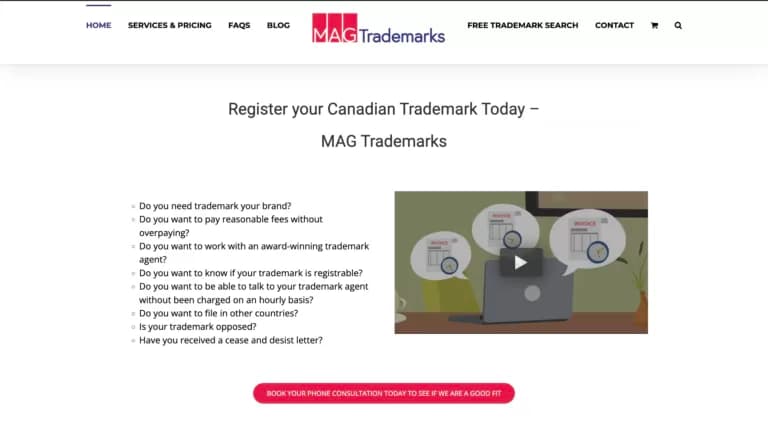
MAG Trademarks
An ecommerce-focused WordPress site for trademark services, supported with ongoing improvements and care plan support to keep the platform effective and current.

LoftPlan
A long-term WordPress care and support project for LoftPlan, covering managed hosting, updates, SEO improvements and technical troubleshooting to keep the site reliable and commercially effective.
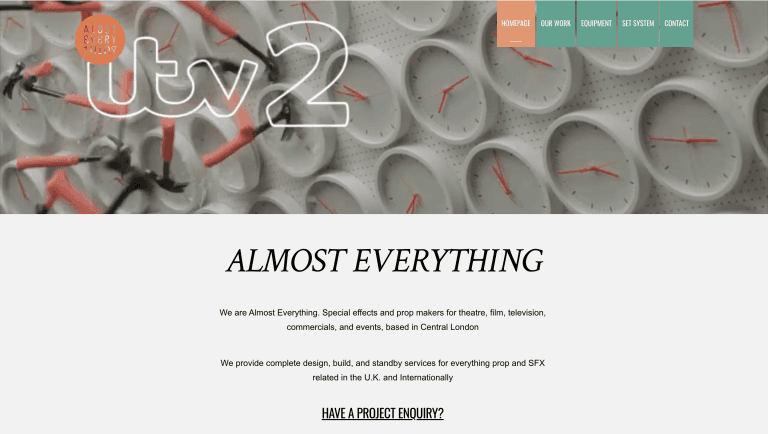
Almost Everything: WordPress Security Audit, PHP 8.5 Upgrade & Legacy Theme Repair
Rescuing a seven-year-old WordPress setup: upgrading PHP 7.4 to 8.5, repairing a legacy Themify theme, removing 12 outdated plugins and restoring broken enquiry forms without rebuilding the site.
Services
All servicesReading
All articles20 mistakes clients make using WordPress
Many WordPress websites underperform because of avoidable issues like poor hosting, missed updates, weak SEO structure a
How to Turn Your WordPress Website Into a Progressive Web App
How a Progressive Web App can turn a WordPress website into a faster, app-like experience with home screen access, alert
Why Your Website Is Not Bringing Clients
If your website gets traffic but not enough enquiries, the problem is usually weak messaging, poor trust signals or uncl
Want Similar Results for Your Business?
Let's discuss how I can help scale your website with a custom solution tailored to your business needs. From performance optimization to complete redesigns, I deliver results that drive growth.
Free 30-minute consultation • No commitment required • For business ready