
I Built a Free Mac App That Sorts My Downloads Folder by What’s Inside
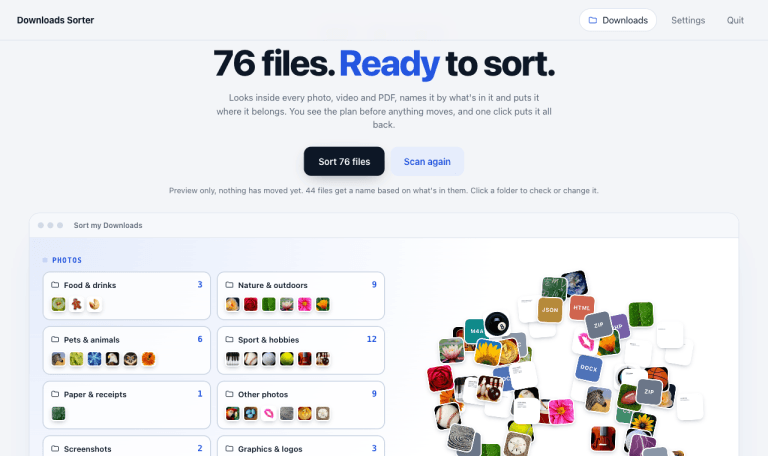
It’s been a while since I wanted something like this. Years, if I’m honest. Somewhere between the third theme-final-FINAL-v2.zip from a client and the fortieth invoice called 10228315888.pdf, my Downloads folder stopped being a folder and became the place files go to be forgotten.
It always goes the same way. During the week I’m heads-down on client work, and things quietly pile up: a logo from one client, a contract from another, a screenshot of a bug, a WhatsApp voice note, a zip of a theme “with just a few small changes”. Nothing gets filed, because filing is never urgent.
Then the weekend arrives. I finally have a quiet hour and a coffee, so I open Downloads to tidy up my laptop… and close it again. 3,110 files. 860 PDFs, 1,300 images, 353 zips, and names like IMG_4821.heic and invoice (3) (1).pdf. That isn’t a tidy-up, it’s an archaeological dig.
Every clean-up app I tried sorted things by file type, which just turns one mess into twelve smaller ones. So I built a free Mac app for my weekend clean-up instead. It sorts files by what is actually inside them, renames the meaningless ones and lets me undo the whole thing in one click if I don’t like the result. Now the weekend tidy-up takes about as long as the coffee.
It is called Downloads Sorter. It is open source, it runs entirely on your Mac, and you can grab it from GitHub.
Why sorting by file type doesn’t work
A folder called “PDFs” with 860 files in it is not organised. What I actually want is invoices here, bank statements there, contracts somewhere else, and the same for photos: the wedding pictures together, the screenshots out of the way, the logos I downloaded for client sites in one place.
That means the app has to look inside each file, the way you would if you opened it. A photo of a plate of pasta and a photo of a logo are both .png files. A gas bill and a bank statement are both PDFs. File types don’t tell them apart. The contents do.
What Downloads Sorter does
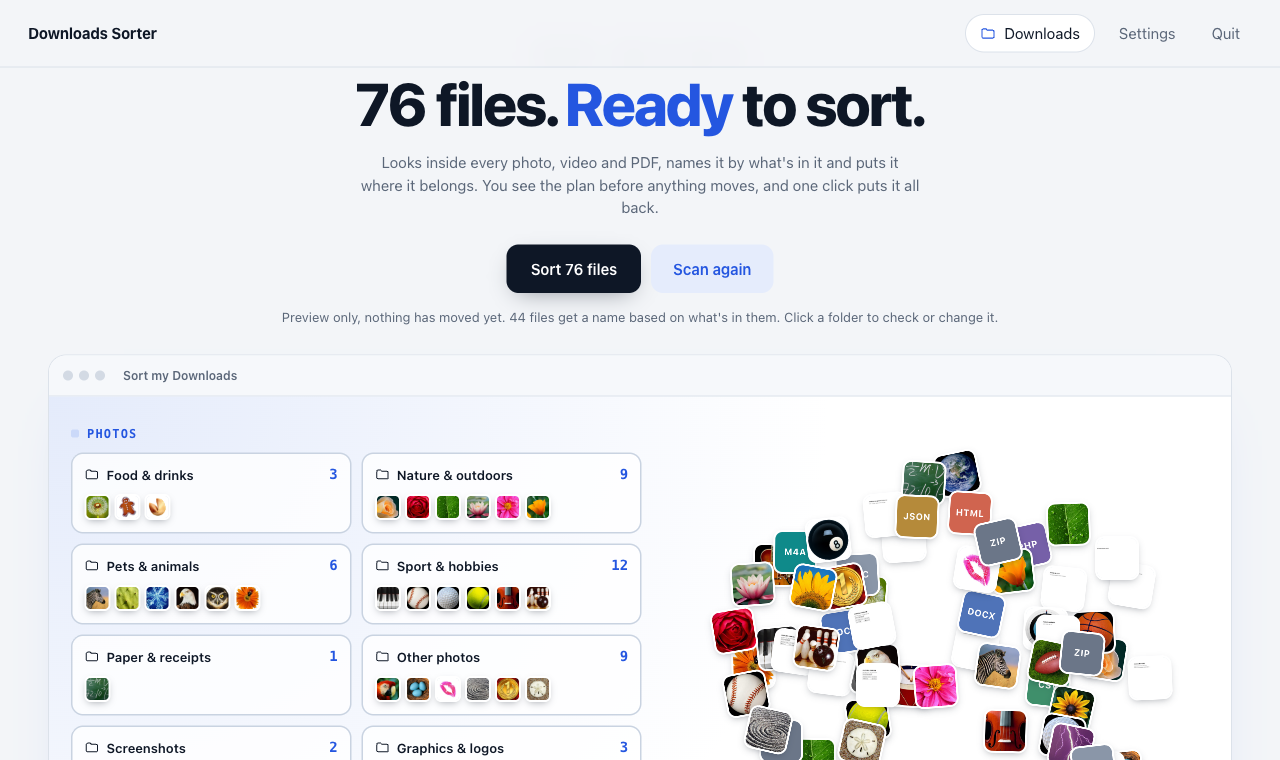
- It looks inside photos: Apple’s on-device Vision framework classifies each image and spots faces and on-screen text. Photos go into folders like People & selfies, Food & drinks, Nature & outdoors, Interiors & spaces, Pets & animals, Events & celebrations and Sport & hobbies.
- It reads PDFs: invoices, bank statements, contracts, tax documents and boarding passes are recognised from the text inside them, in English and Romanian. A PDF that says “factură” and “total de plată” goes to Invoices & receipts, whatever the file name.
- It separates screenshots and graphics: screen captures, logos and transparent web graphics stop cluttering your photo folders.
- It sorts videos by what’s in them: clips where a face fills the frame become Talking head, the rest become B-roll, and screen recordings get their own folder.
- It renames what needs renaming:
IMG_5020.heicbecomesGuitar 2026-08-08.heic. Files with real names keep them. - It catches the clutter: byte-identical duplicates and 0-byte failed downloads go to their own folders, so you can deal with them in one go.
How it works under the hood
A tiny Swift helper does the looking
The analysis runs in a small Swift program that uses 3 Apple frameworks every Mac already has: Vision for image labels (over 1,300 of them), face detection and text recognition, PDFKit for the text inside PDFs, and AVFoundation for video frames and audio length. It uses all but 2 of your CPU cores. On my Mac it got through 249 mixed files in about 13 seconds, and results are cached, so a second scan only looks at new files.
Everything else is a small Python server with no dependencies and a plain HTML interface. No npm, no pip, no build step.
Rules decide the folder
Vision returns labels such as food, bedroom or receipt with a confidence score. The sorter weights those labels per folder and picks the strongest match. Faces count towards People & selfies, and a lot of on-screen text pushes an image towards Screenshots or Paper & receipts. PDFs are matched against keyword lists, and the folder with the most hits wins.
Only meaningless names get changed
I didn’t want an app that renames Brand guidelines final.pdf to something clever. It only renames camera-roll names, WhatsApp and Facebook exports, UUIDs, hashes and plain numbers. The new name uses the most specific thing Vision saw plus the date the photo was taken:
| Before | After |
|---|---|
| IMG_2917.HEIC | Building & cityscape 2021-09-18.HEIC |
| 20230808_103547.jpg | Selfie 2023-08-08.jpg |
| WhatsApp Image 2022-08-04 at 1.33.03 PM.jpeg | Wine & basket 2022-08-04.jpeg |
| 2a0f7ff6-d6d0-4e0b-aaef-66bc206c3797.jpeg | Sofa 2025-07-06.jpeg |
| Brand guidelines final.pdf | Brand guidelines final.pdf (kept) |
Built so you can trust it with your files
An app that moves 3,000 files around needs to earn some trust. These were my non-negotiables:
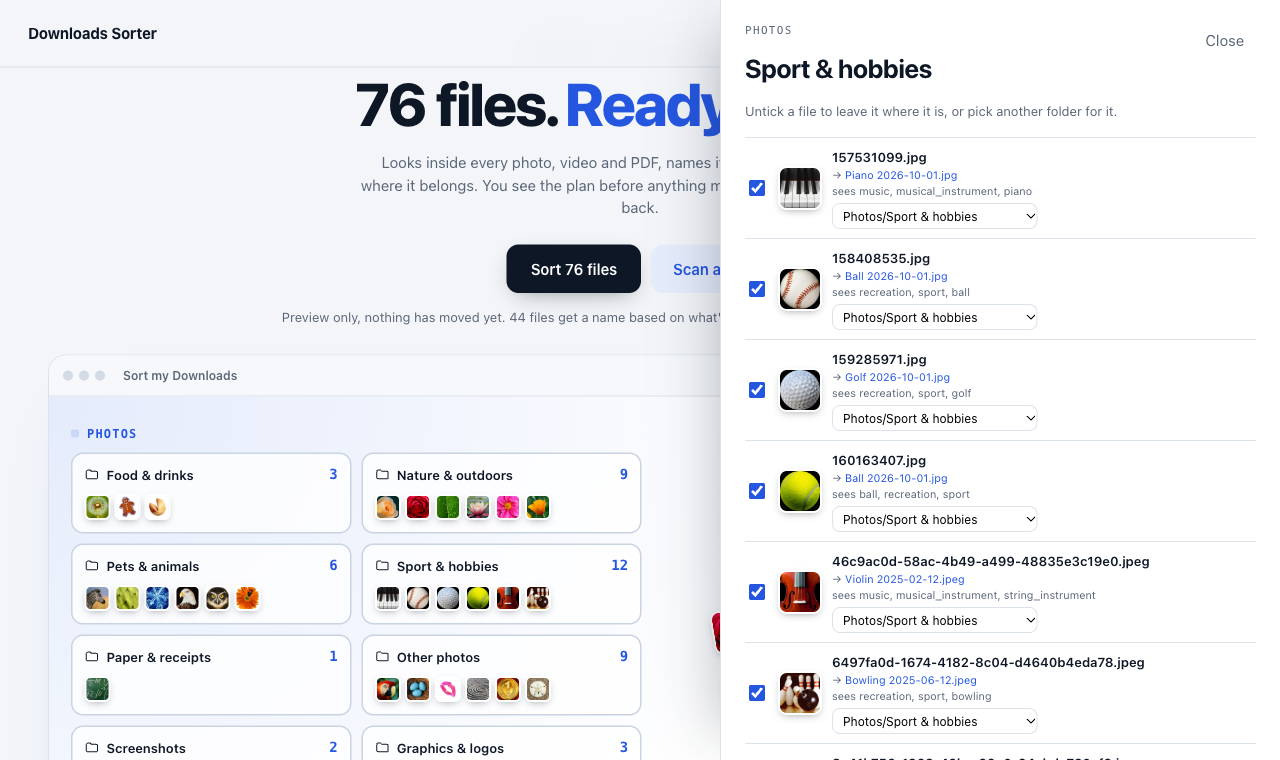
- Preview first: every scan is just a plan. You see each folder, its count and its files before anything moves, and you can untick or re-route any file.
- It never deletes: it only moves and renames. Even duplicates and empty files are moved to folders, not removed.
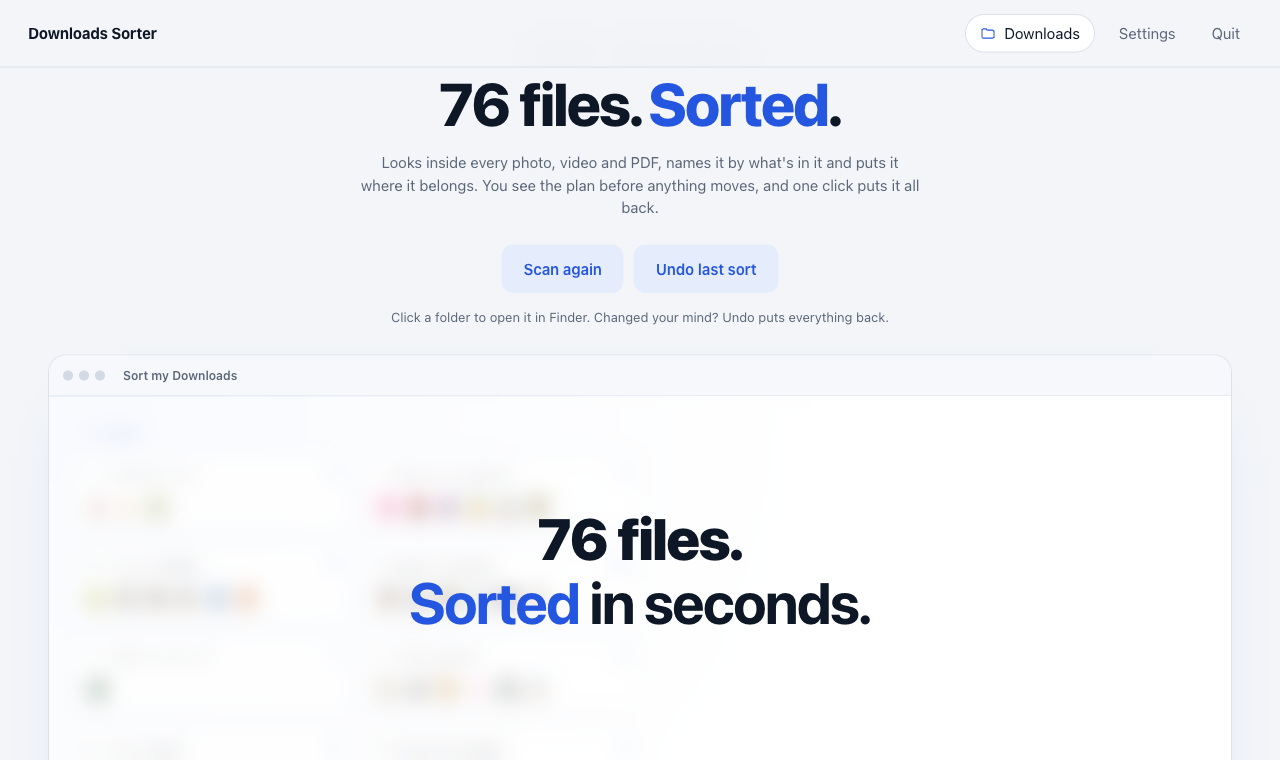
- One-click undo: every sort is logged. Undo puts each file back in its original place under its original name and removes the folders it created. I tested it by sorting a copy of 249 of my real files and undoing it: every name came back exactly.
- It leaves in-progress downloads alone: partial files and anything modified in the last 2 minutes are skipped.
- It is private: nothing is uploaded, there is no account and no API key. The local server only listens on your own machine and needs a random token on every launch, so another web page can’t trigger it.
Your own folders, in your own words
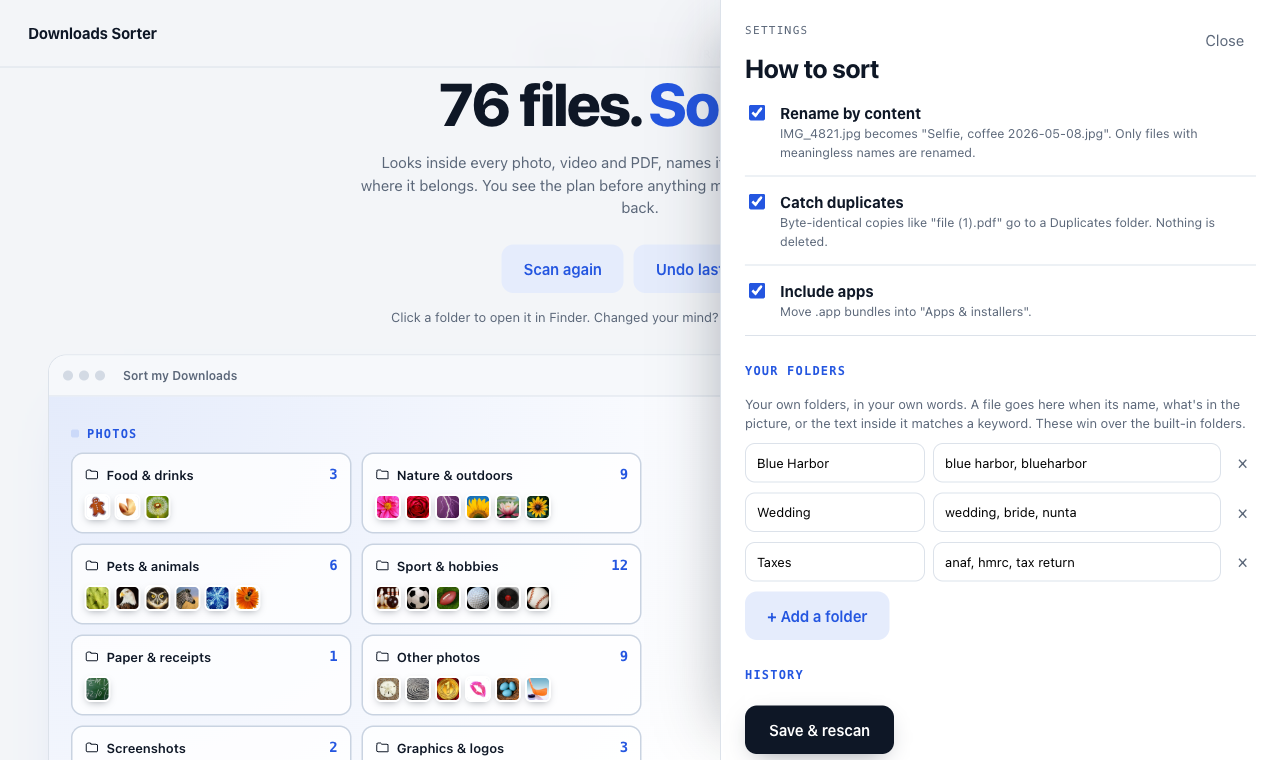
The built-in folders cover most of a typical Downloads folder, but everyone has their own projects. In Settings you can add a folder plus a few keywords, and a file goes there when its name, what is in the picture or the text inside it matches.
When I tested a Wedding folder with the keywords wedding, nunta, invitati, it caught the wedding photos (Vision recognised the scene), some AI-generated bouquet ideas (from their file names) and the guest-list spreadsheets (“Invitati Nunta”). 3 file types, 1 folder, zero manual dragging.
How to try it
You need a Mac with Python 3 and Apple’s free Command Line Tools (most developers already have both).
- Clone the repository:
git clone https://github.com/costibotez/downloads-cleanup.git cd downloads-cleanup - Double-click Sort Downloads.command, or run
./make-app.shto build a proper Downloads Sorter.app for your Dock. - Click Allow when macOS asks for access to your Downloads folder.
- Press Look at my files, check the preview, then press Sort.
The first scan of a few thousand files takes a minute or 2. You can point it at any folder, not just Downloads.
What I learned building it
- Vision labels come in families: a golf ball is tagged
golf, but alsosportandrecreation. The parent labels are useful for picking a folder and useless for naming a file, so the sorter keeps them for one job and ignores them for the other. - File names lie, contents don’t: half of my invoices had numeric names. The text inside them was the only reliable signal.
- Safety features are the product: the clever classification is the fun part, but the preview and the undo are what make you actually press the button.
- It came together fast: I built the first version with Claude Code in a single afternoon session, including testing it against a copy of my real files.
What’s next
- Move to Trash for the Duplicates and Empty files folders, using the normal recoverable macOS Trash
- Watch mode that files new downloads as they land
- Smarter document names, so
10228315888.pdfbecomesInvoice – Engie – 2023-05-22.pdf
Conclusion
Most tidy-up tools treat files as extensions. Once you let the computer look inside them, the way you would, a 3,000-file Downloads folder becomes a few dozen folders that make sense, with names you can actually search for. And because it previews first, never deletes and can undo everything, it is safe to point at the folder you have been avoiding for years.
These days my weekend clean-up goes like this: open the app, press Sort, glance at the preview, done. The client files still pile up all week. I’ve just stopped dreading Saturday morning.
Downloads Sorter is free and open source on GitHub. If it saves you an afternoon, a star on the repo is always appreciated.
Need a small tool like this built for your own workflow, whether that is a WordPress plugin, an internal app or something that automates the boring parts of your business? Get in touch and we can talk it through. The most relevant starting points are usually custom plugin development and SaaS and app development.
Keep exploring
Recent work
All case studies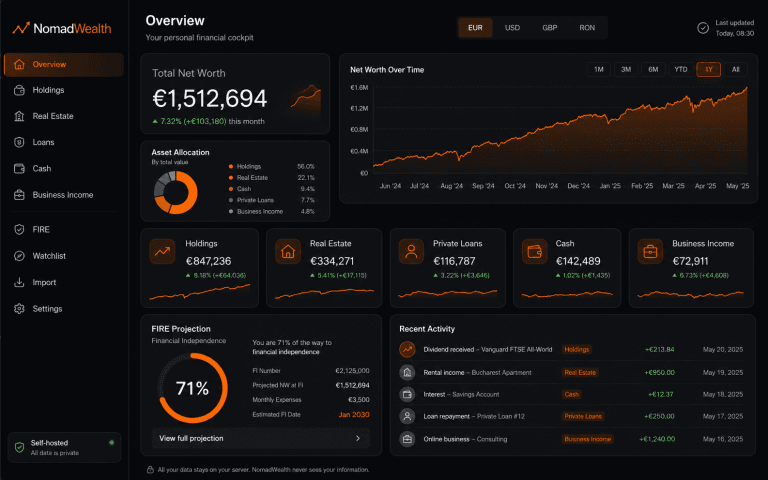
NomadWealth: Self-Hosted Net-Worth App
Turning a personal finance dashboard into a self-hostable product: holdings, real estate, loans and cash in one private cockpit, deployed to the buyer’s own Vercel so the vendor never sees their data.
Almost Everything: WordPress Security Audit, PHP 8.5 Upgrade & Legacy Theme Repair
Rescuing a seven-year-old WordPress setup: upgrading PHP 7.4 to 8.5, repairing a legacy Themify theme, removing 12 outdated plugins and restoring broken enquiry forms without rebuilding the site.

TQ Legal: Rebranding a Live Barrister’s Website Without Breaking It
A complete rebrand of a live barrister’s WordPress site, shipped as an additive component layer alongside the legacy theme so nothing already live ever broke. A token-driven design system, a fully editable ACF page builder and a measurable enquiry journey, all with a zero-downtime rollout.
Services
All servicesReading
All articlesHow to Turn Your WordPress Website Into a Progressive Web App
How a Progressive Web App can turn a WordPress website into a faster, app-like experience with home screen access, alert
How to Get WC Order Details
A practical guide to retrieving WooCommerce order details manually, with hooks or through the REST API, depending on whe
What a £1k Website Should Actually Include
A £1,000 website can be a smart investment if the scope is realistic, the messaging is clear and the fundamentals are ha